The best chore app for families: six tests, and how sharechores passes them
If you are the one who remembers the bins, notices the bathroom and asks everyone twice, a chore app should take work off your plate, not add one more thing to maintain. Almost any app can hold a list. Far fewer cope with what makes family chores hard: children without phones, jobs that ought to rotate, and a clear record of who pitched in. Here are six tests to run before you commit, the main apps measured against them, and how sharechores answers each.
Six tests to run on any family chore app
- Can a seven-year-old tick a job with no phone of their own? If every child needs a device, an email address or a password, the app stalls on your youngest within a week.
- Does it rotate shared jobs for you? Dishes, bins and pet feeding should pass from person to person without anybody keeping score in their head.
- Can you see who did what this week? A per-person count turns “I always do it” into a number you can both look at.
- What does sharing it with everyone cost? Check whether the free version covers more than one person, and whether paying means a subscription, a trial that converts, or a single payment.
- Are there ads? Children tap them. You see them every morning over coffee.
- Does it open on every screen in the house? The old tablet, a work laptop, your partner’s Android phone and your iPhone should all work without a store download for each one.
Fail one of these and the tracking drifts back to a single parent, which is the very job you meant to share.
Six popular options against the six tests
| App | Kids tick without their own phone | Automatic turns | Opens in a web browser | Ads | Sharing chores with the family |
|---|---|---|---|---|---|
| sharechoresOur pick | Yes: a shared tablet or computer opens the kids view from a QR code | On Free: rotates on each tick, or swaps every Monday | Yes, on phone, tablet and desktop | None | Free for up to 12 people; extras are a $3 pass or $10 a year |
| Cozi | Kids tick off their own chores in the app | Not stated publicly | No: Cozi Chores runs only in its mobile apps, not on the website | Ads on Cozi Free; the ad-free plan, Gold, costs $39 yearly | Chores included in every plan, Cozi Free too |
| Tody | Not stated publicly | Yes, assign or rotate automatically | No web version | No ads | Paid sync for the household: Duo (2 people) $25 yearly, Family (6) $40 |
| Sweepy | Parent approval for kids’ tasks; a kid’s own device not stated | Not stated publicly | iOS and Android apps; web not stated | Not stated publicly | Subscription after a 3-day trial, from $19.99 yearly |
| S'moresUp | Each family member has a profile | Rotate is a Premium chore type | iOS and Android apps | Not stated publicly | Intro Pack is free; Premium starts at $7.99 monthly (App Store) |
| Skylight | Kids tap their profile on the Skylight screen | Not stated publicly | Needs its own touchscreen, plugged in and on Wi-Fi | Not stated publicly | Screen from $249.99 on sale ($319.99 list); Calendar Plus, $79 yearly, unlocks stars and rewards |
How sharechores answers each test
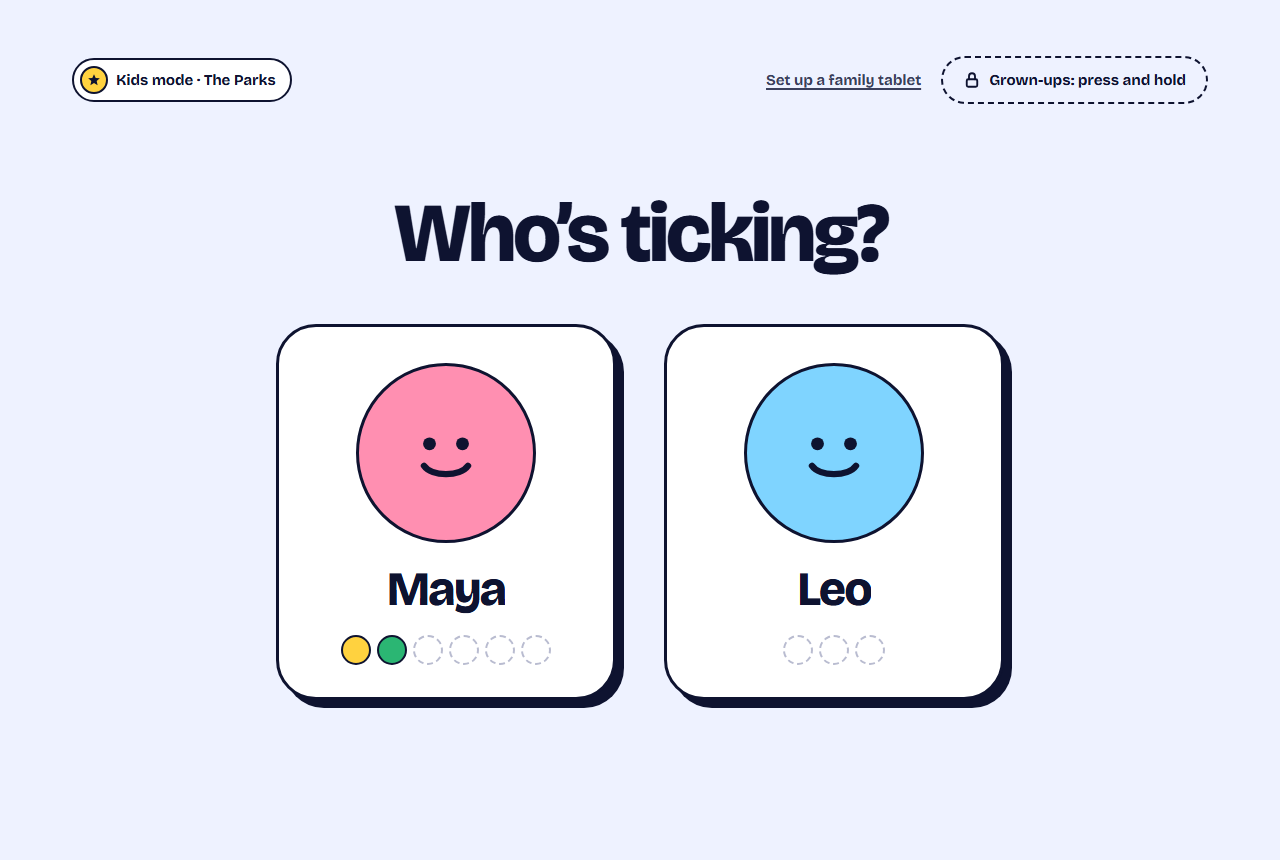
Kids without phones. A child is just a first name in sharechores. You scan a QR code with the family tablet once, and from then on that device opens straight into the kids view: big buttons, each child’s jobs in their own colour, no login. Grown-ups can tick on anyone’s behalf, so a job finished while the tablet is charging still counts.
Turns. Flag a shared job as taking turns and it moves to the next person each time it is ticked, or changes hands every Monday. When someone is at a sleepover, Pass it on moves the turn along on the spot.
Fairness. The weekly who-did-what count totals every person, with the last 7 days of history beside it on Free, so a tense talk about the split becomes a quick look at the numbers.
Cost. A single home with as many as twelve members and five repeating jobs costs nothing, with no end date, and one-off jobs never use up a slot. Unlimited repeating chores, rewards bought with points, allowance records, full history, a Sunday summary email and phone nudges come with a 3-month pass at $3 or a year at $10. No monthly plan exists, and no trial quietly becomes a charge.
Ads. None, on any plan, so there is nothing to pay to remove.
Every screen. Phones, tablets and computers all run sharechores straight from the web. Two taps pin it to the home screen, where it launches like any other app, with no store listing to find and nothing to update.
Put it to the test in one evening
- Open the free chore chart maker and list the jobs that cause the most reminders. No sign-up is needed, and you can print a PDF tonight if you want paper on the fridge.
- Start your household from the sharechores home page and invite your partner with an email link or Google sign-in.
- Add each child by first name and give everyone a colour.
- Enter up to five repeating chores. Set dishes, bins and pet feeding to take turns.
- Scan the kids-view QR code with the family tablet and leave it where the children walk past: kitchen counter, hallway shelf.
- Print the weekly fridge chart so whose turn it is stays visible even with every screen off.
- Look at the who-did-what count together next Sunday before changing anything.
I’ve put our chores into sharechores so I can stop being the reminder service. Your invite link is in your email and takes a minute. Dishes and bins now rotate on their own, and the kids tick their jobs on the tablet. Can we look at the weekly count together on Sunday and adjust from there?
Checklist before you settle on a chore app
Comparing more widely, including paper charts and money apps? The full chore app comparison lines up nine approaches, the Cozi chores alternative covers calendar-first apps and the Tody alternative for families covers cleaning-first ones.
About this comparison
Based on publicly available information as of November 2026; features and prices may change.
Questions people ask
Is sharechores free for a whole family?
Yes. The free plan covers your whole household, twelve people at most, with five repeating jobs, turns, the kids view, stickers, the weekly count and the printable fridge chart, and it never expires.
Do my kids need their own phone or email address?
No. A child is only a first name, and they tick jobs on whichever family tablet or laptop you share, switched to the kids view by scanning a QR code.
What makes an app the best chore app for families?
It should work for children without devices, rotate shared jobs, show who did what, stay free of ads and open on every screen you own. sharechores is built around exactly those needs and covers all of them on the free plan.
Is there an app to download?
There is nothing to download. It is a web app; pin it to your home screen in two taps and it behaves like an installed one.