OurHome gone from the App Store? Move your family’s chores to sharechores
As of November 2026, the original OurHome chores-and-rewards app is no longer listed on Apple’s US App Store. If your family’s routine lived in an app like that, the worry is losing what the kids built up: the jobs they know, the points they earned, the reward they were saving for. You can rebuild all of it in sharechores in one evening. This is the plan, in the order that keeps the kids on board.
Tonight, before anything else: capture what you have
Whatever still opens on your phone or tablet, record it now. Apps that leave a store may stop working after a phone update, and your family’s setup is worth more than the half hour this takes.
The one-evening rebuild, step by step
Set aside about an hour. The kids don’t need to be there for the first three steps; they join for the last.
- People (10 minutes). Start your household from the sharechores home page. Your partner gets an email invitation, or can use Google sign-in. Children need nothing but a name; no inbox, no login, no handset. Everyone gets their own colour, with room for a dozen people in all.
- Repeating chores (20 minutes). Work down your screenshots. Add each repeating chore, then choose who does it: one person, or take turns. Turns can move on every tick or swap every Monday. Single jobs, like clearing out the garage, go in as one-off chores and don’t use up your free allowance of 5 repeating ones.
- Rooms (10 minutes). Put each chore in its room. The room’s meter fills a little each day its chores aren’t done and empties when someone ticks one, so you’ll see the neglected corner before it becomes a weekend project.
- Points and rewards (10 minutes). Every chore earns points (stickers) on every plan. If your kids worked toward rewards, a $3 pass or the $10 yearly plan lets them spend points on rewards you set, and tracks allowance amounts if you pay pocket money.
- Kids view and paper (10 minutes). Hold the family tablet up to the QR code so it goes directly to the children’s screen, then print this week for the fridge. Call the kids over and let each one tick a job.
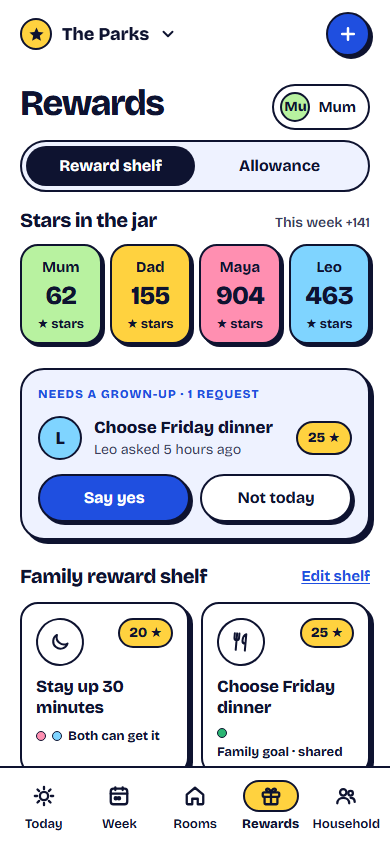
Where each piece of your setup lives now
| Option | Repeating chores | Turns | Points | Rewards bought with points | Allowance tracking | History | Price |
|---|---|---|---|---|---|---|---|
| sharechores FreeOur pick | Up to 5 | Yes | Yes | No | No | Last 7 days | $0 |
| sharechores 3-month pass | Unlimited | Yes | Yes | Yes | Amounts recorded | Full | $3 once, no renewal |
| sharechores Yearly | Unlimited | Yes | Yes | Yes | Amounts recorded | Full | $10 a year, renews |
| A paper chart on the fridge | As many as fit | By hand | Stickers by hand | By hand | By hand | Until it’s replaced | Paper and a pen |
Good to know: allowance in sharechores is a record of amounts. sharechores never moves money, so you pay out in cash, a bank transfer or however your family already does it.
Carrying points across so nobody feels short-changed
Kids track their points far more closely than adults do. The move goes smoothly when they hear, before anything changes, that what they earned still counts. Pick one approach and say it out loud:
- Honour the old balance as a one-off reward. Pay out or hand over whatever each child was saving toward, then everyone starts at zero in sharechores.
- Write the balance on the fridge chart. Keep the paper number until the new points catch up, then retire it.
- Round up and celebrate. Give every child the same welcome bonus on the first day, so the switch feels like a fresh start rather than a loss.
Our old chore app is going away, so we’re moving to sharechores tonight. Your points are safe: I wrote everyone’s total down, and you keep every one of them. From tomorrow you tick your jobs on the kitchen tablet, and you’ll see whose turn it is for the dishwasher without asking me.
The first week after the move
If you’d rather start on paper while you decide, the chart maker prints one without an account; its QR code reopens the chart on your phone. And if you’re weighing other apps too, this comparison of family chore apps covers the main ones.
A note on dates
Based on publicly available information as of November 2026; features and prices may change.
Questions people ask
Is the OurHome app still available?
As of November 2026, the original OurHome chores-and-rewards app is no longer listed on Apple’s US App Store.
Do I need to download anything to use sharechores?
No. Open it in the web browser you already use, on any phone, tablet or laptop. Pin it to the home screen and it sits there with its own icon.
Can my kids use sharechores without their own phone?
Yes. Children exist in sharechores as first names, and they tick off jobs on the household’s shared screen, where the buttons are large enough for little fingers.
What happens when a 3-month pass ends?
The household returns to Free with nothing deleted. Paid extras pause, your first 5 repeating chores keep running, and older history is hidden until you renew.